

Comparing Google workspace vs Microsoft 365 in 2026 looks a lot different than it did just a few years ago. Today’s workplace platforms have evolved into business operating systems that combine collaboration, cybersecurity, artificial intelligence, device management, and data insights into a single ecosystem. As organizations continue adopting AI and supporting hybrid workforces, the right platform can influence everything from employee productivity to security posture and long-term scalability.
While both Google Workspace and Microsoft 365 provide modern collaboration tools, they take very different approaches to enterprise management, AI, and security. Google’s platform prioritizes simplicity and cloud-native collaboration, while Microsoft delivers a more comprehensive ecosystem designed for organizations with complex IT environments and growing security requirements.
This guide compares Microsoft 365 and Google Workspace across the areas that matter most. From productivity, security, AI, to integration, analytics, licensing, and scalability, all to help you determine which platform best supports your business goals in 2026.
Table of Contents
Bottom Line
If your organization… | Consider… |
Needs simple collaboration with minimal IT overhead | Google Workspace |
Uses Windows extensively | Microsoft 365 |
Has compliance or regulatory requirements | Microsoft 365 |
Plans to scale AI across the business | Microsoft 365 |
Wants advanced endpoint and identity management | Microsoft 365 |
Primarily works in browser-based apps | Google Workspace |
Comparing Google Workspace and Microsoft 365
Google Workspace vs Microsoft 365 Security
Security remains one of the most important considerations when selecting a productivity platform, particularly as organizations embrace AI, hybrid work, and increasingly sophisticated cyber threats.
Microsoft 365 delivers a comprehensive security ecosystem that includes identity and access management, endpoint protection, threat detection, and compliance tools. Solutions such as Microsoft Entra ID, Microsoft Defender, Microsoft Intune, and Conditional Access help organizations secure users, devices, and data while supporting a Zero Trust security model.
Google Workspace also provides strong security fundamentals, including multi-factor authentication, encryption, and centralized administrative controls. For many small and mid-sized organizations, these capabilities provide effective protection for day-to-day collaboration.
Organizations with more complex security, compliance, or device management requirements, however, often benefit from Microsoft’s broader security ecosystem and deeper integration across Windows environments and enterprise infrastructure.
Business Productivity Comparison
Microsoft 365 and Google Workspace both enable modern collaboration, but they take different approaches to productivity.
Microsoft 365 combines desktop, web, and mobile applications, allowing employees to work from virtually anywhere, even without an internet connection. Applications like Word, Excel, PowerPoint, Outlook, and Teams offer advanced functionality while maintaining a familiar user experience across devices.
Google Workspace is designed around browser-based collaboration with applications like Docs, Sheets, Slides, Gmail, and Google Meet. Its cloud-first approach makes real-time collaboration simple and intuitive, particularly for organizations that primarily work online.
For businesses that rely on advanced document formatting, complex spreadsheets, or desktop applications, Microsoft 365 often provides greater flexibility. Organizations prioritizing lightweight collaboration and ease of use may find Google Workspace better aligned with their needs.
Integration and Scalability
As businesses grow, their productivity platform must support an expanding ecosystem of applications, users, and business processes.
Microsoft 365 integrates seamlessly with Windows, Azure, Microsoft business applications, and thousands of third-party solutions, making it well suited for organizations with hybrid infrastructures or complex IT environments.
Google Workspace integrates effectively within Google’s cloud ecosystem and supports many third-party applications through APIs and marketplace integrations. Organizations that primarily operate within Google services may find these integrations sufficient for their workflows.
For enterprises planning long-term growth or digital transformation initiatives, Microsoft’s broader ecosystem often provides greater flexibility for connecting business systems across departments and locations.
Data Insights and Analytics
Visibility into employee collaboration and technology adoption helps organizations make more informed business decisions.
Microsoft 365 includes reporting and analytics tools through the Microsoft 365 Admin Center, Productivity Score, and integration with Power BI. These capabilities help IT leaders monitor adoption, collaboration trends, system health, and operational performance.
Google Workspace provides administrative reporting and usage analytics that offer valuable insights into user activity and platform adoption. While these reports meet the needs of many organizations, they generally provide fewer advanced analytics and customization options than Microsoft’s broader reporting ecosystem.
Organizations seeking deeper operational insights or enterprise business intelligence often benefit from Microsoft’s integrated analytics capabilities.
Licensing Flexibility
Licensing can have a significant impact on both cost and long-term scalability.
Microsoft 365 offers flexible licensing options that allow organizations to assign different plans based on employee roles, security requirements, and business needs. This flexibility makes it easier to scale services as an organization grows without over-licensing every user.
Google Workspace offers a simpler licensing structure with clearly defined plans that are straightforward to deploy and manage. For organizations with relatively consistent user requirements, this simplicity can be an advantage.
Businesses with more diverse security, compliance, or productivity needs often appreciate Microsoft’s ability to tailor licensing across different departments and user groups.
AI Comparison: Microsoft Copilot vs. Google Gemini
Artificial intelligence has become one of the biggest differentiators between modern productivity platforms.
Microsoft Copilot is deeply integrated throughout Microsoft 365 applications, helping users draft content, summarize meetings, analyze data, automate repetitive tasks, and retrieve information directly within Word, Excel, Outlook, Teams, and other familiar applications.
Google Gemini for Workspace brings AI capabilities to Gmail, Docs, Sheets, Slides, and Meet, assisting users with writing, summarization, brainstorming, and collaboration. For organizations already invested in Google’s ecosystem, Gemini offers a natural extension of existing workflows.
Both platforms continue to expand their AI capabilities rapidly. Organizations should evaluate not only the AI business productivity tools themselves, but also how those capabilities integrate with existing business processes, security requirements, and productivity tools.
Checklist: How to Choose the Right Business Productivity Tools
Microsoft 365 may work better if you:
- Need advanced security and compliance
- Use Windows devices across your organization
- Want desktop and cloud applications
- Plan to expand AI across departments
- Need enterprise device management
- Require advanced reporting and analytics
Google Workspace may work better if you:
- Want simple browser-based collaboration
- Have a smaller IT team
- Primarily work within Google’s ecosystem
- Have established partnerships with supplemental platforms
- Need a fast, easy-to-deploy productivity suite
Microsoft 365 and Google Workspace Comparison Chart
Feature | Microsoft 365 | Google Workspace |
| Generally best for | Mid-size to enterprise organizations and highly regulated industries | Small businesses and cloud-first teams |
| Productivity apps | Desktop, web, and mobile | Primarily web-based |
| Offline access | Full support | Limited support |
| AI assistant | Microsoft Copilot | Google Gemini |
| Identity management | Microsoft Entra ID | Google Identity |
| Endpoint management | Microsoft Intune | Basic device management |
| Threat protection | Microsoft Defender | Standard security protections |
| Analytics | Power BI, Productivity Score | Admin reports |
| Operating system integration | Excellent with Windows | Best within Google ecosystem |
| Licensing flexibility | Highly customizable | Simpler licensing tiers |
How Microsoft 365 E7 Changes the Comparison
For organizations evaluating long-term technology investments, Microsoft’s newest enterprise offering adds another layer to the Microsoft 365 vs. Google Workspace discussion.
Microsoft 365 E7 builds on the capabilities of Microsoft 365 by combining advanced AI, security, compliance, and automation tools into a unified platform. While Google Workspace continues to expand its AI capabilities through Gemini, Microsoft E7 is designed to help organizations operationalize AI across productivity, cybersecurity, and business processes at scale.
Key advantages of Microsoft 365 E7 include:
- Expanded Microsoft Copilot capabilities across the Microsoft ecosystem
- AI-powered security operations and threat detection
- Advanced compliance and governance features
- Predictive analytics and intelligent business insights
- Enhanced automation for complex workflows
For organizations with enterprise security requirements, large-scale AI initiatives, or complex operational environments, Microsoft 365 E7 can further strengthen the value proposition of the Microsoft platform.
Webinar: Microsoft 365 E7 in Action
Curious how Microsoft 365 E7 builds on the capabilities of Microsoft 365? Watch our recent webinar to explore the platform’s newest AI, security, and automation features, and learn how organizations are preparing for the next generation of workplace productivity.
Reducing Tool Sprawl
As organizations adopt more cloud applications and AI-powered solutions, managing disconnected tools has become increasingly complex. Tool sprawl can result in:
- Duplicate software and overlapping functionality
- Fragmented data across multiple platforms
- Inconsistent security and compliance policies
- Higher licensing and IT management costs
Microsoft 365 helps reduce tool sprawl by bringing productivity, collaboration, security, device management, and AI into a single, integrated ecosystem. Organizations can manage applications like Teams, Outlook, SharePoint, OneDrive, Microsoft Defender, Intune, and Microsoft Entra through a unified platform.
Google Workspace also offers an integrated collaboration suite with Gmail, Drive, Meet, Chat, Docs, Sheets, and Slides. However, organizations with more advanced security, endpoint management, or compliance requirements may need additional third-party tools to fill functionality gaps.
By consolidating essential business tools into a single platform, organizations can:
- Simplify IT administration
- Strengthen security and governance
- Improve user adoption and productivity
- Reduce software costs and complexity
When comparing Microsoft 365 vs. Google Workspace, it’s important to evaluate not only each platform’s features, but also how effectively it can help streamline your technology stack and reduce tool sprawl.
Microsoft vs Google FAQ
Is Microsoft 365 better than Google Workspace?
It depends on your organization’s size, security requirements, and existing technology investments. Microsoft 365 generally offers broader enterprise capabilities, while Google Workspace prioritizes simplicity and cloud-first collaboration.
Which platform has better AI?
Microsoft Copilot and Google Gemini both continue to evolve rapidly. Microsoft Copilot offers deep integration across the Microsoft ecosystem, while Gemini enhances collaboration within Google’s applications.
Which platform is more secure?
Microsoft Copilot and Google Gemini both continue to evolve rapidly. Microsoft Copilot offers deep integration across the Microsoft ecosystem, while Gemini enhances collaboration within Google’s applications.
Is Google Workspace cheaper than Microsoft 365?
Pricing varies depending on licensing tiers, AI add-ons, storage requirements, and security needs. Organizations should compare the total cost of ownership based on their specific business requirements.
Final Thoughts
Choosing between Microsoft 365 and Google Workspace ultimately comes down to your organization’s business goals, security requirements, IT complexity, and long-term AI strategy. While Google Workspace offers a streamlined collaboration experience for cloud-first teams, Microsoft 365 provides a comprehensive platform that combines productivity, advanced security, compliance, device management, and AI-powered innovation in a single ecosystem.
As organizations continue investing in AI and digital transformation, selecting the right productivity platform can improve collaboration, strengthen cybersecurity, reduce tool sprawl, and create a foundation for future growth.
Ready to Explore Microsoft 365?
Whether you’re evaluating Microsoft 365, planning a migration from Google Workspace, or looking to maximize your Microsoft investment, our experts can help. Managed Solution’s Microsoft specialists can assess your environment, recommend the right licensing strategy, and guide you through a seamless deployment or migration.
Chat with a Microsoft Expert to discuss Microsoft 365 licensing, Microsoft Copilot, Microsoft 365 E7, security, and migration services.
Planning a Google Workspace Migration?
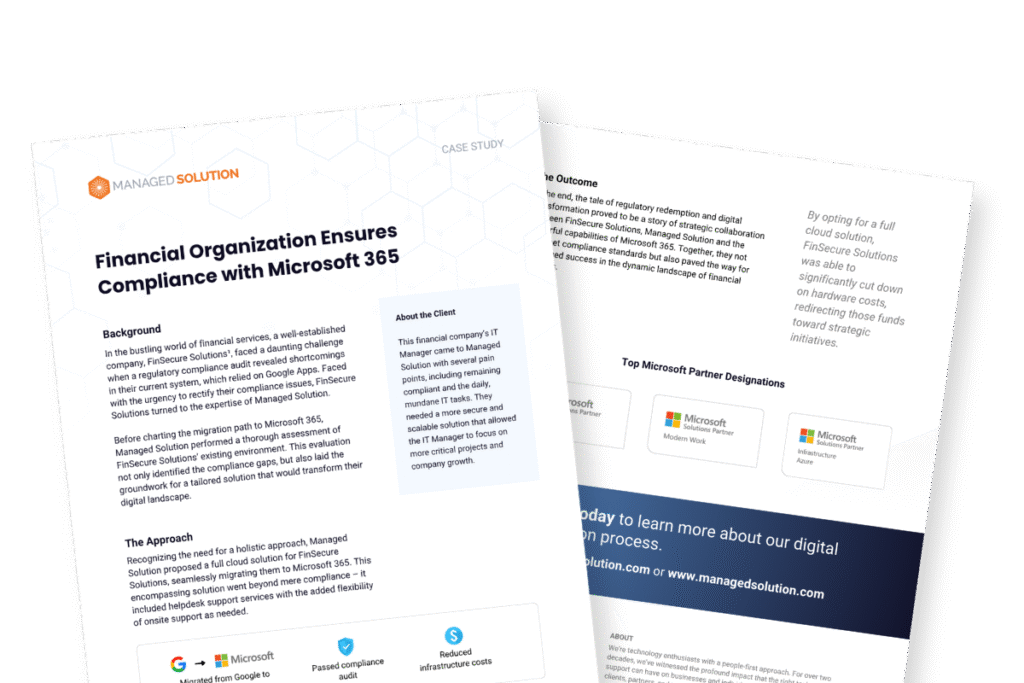
See how organizations successfully transition from Google Workspace to Microsoft 365 with our real-world migration case study. Learn best practices, common challenges, and the business outcomes achieved through a strategic migration.
Download The Case Study: Google Workspace to Microsoft 365 Migration to see what’s possible with the right migration strategy.