

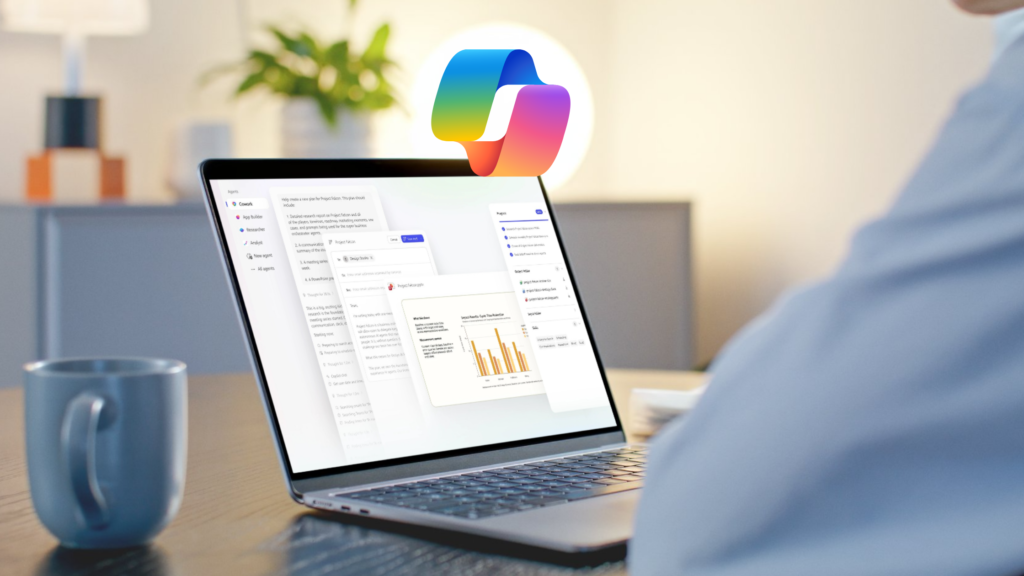
Artificial intelligence is helping employees complete increasingly complex work. We’ve watched AI evolve from answering simple questions to supporting autonomous, multi-step workflows powered by AI agents. While Microsoft 365 Copilot has transformed how users summarize documents, draft emails, and retrieve information, Microsoft’s latest innovation takes enterprise AI even further.
With the release of Microsoft Copilot Cowork, organizations can move beyond chat-based interactions toward a more autonomous, goal-driven AI experience. Rather than completing one prompt at a time, Copilot Cowork coordinates multiple AI capabilities to plan, execute, and refine complex business tasks with minimal user intervention.
This evolution toward agentic AI reflects a broader shift in the workplace. According to Microsoft’s 2025 Work Trend Index, employees are increasingly turning to AI to reduce repetitive work, while organizations are investing in AI agents to help scale productivity and improve business outcomes.
As businesses continue investing in Microsoft AI, this shift toward agentic AI has the potential to significantly improve productivity while changing how knowledge workers approach their daily responsibilities.
Table of Contents
What is Copilot Cowork?
Microsoft Copilot Cowork is Microsoft’s newest agentic AI experience designed to help users accomplish entire business objectives instead of individual tasks. Built on the Microsoft 365 Copilot platform, it coordinates multiple AI capabilities to complete complex workflows across Microsoft 365 and connected business applications.
Traditional AI assistants excel at responding to prompts. You ask a question, request a document summary, or search for information, and the AI provides an answer.
Copilot Cowork expands on that model by allowing users to define a desired outcome instead of prescribing every step. Once given a goal, it determines the actions required, coordinates the appropriate AI agents and skills, gathers context, and works through the process before returning a completed result.
The experience feels less like interacting with a chatbot and more like collaborating with an intelligent digital teammate capable of managing complex business workflows.
Traditional Chat vs. AI Agents vs. Agentic AI
Microsoft’s AI ecosystem is evolving into three distinct categories, each serving a different business need.
Capability | Traditional Chat | AI Agents | Microsoft Cowork |
Primary purpose | Answer questions and retrieve information | Complete a specific business process | Execute multi-step business goals |
User interaction | Prompt and response | Task-specific automation | Goal-oriented collaboration |
Scope | Individual requests | Defined workflows | Multiple connected workflows |
Context awareness | Limited to conversation | Process-specific | Maintains broader context across tasks |
Autonomy | Low | Moderate | High |
While traditional AI focuses on responding to individual requests, agentic AI shifts the emphasis toward achieving outcomes. Instead of asking AI to complete one task after another, users can define the end goal while the system determines the most efficient path to get there.
How Copilot Cowork Works
One of Copilot Cowork’s biggest advantages is its ability to orchestrate multiple AI capabilities within a single workflow.
Rather than requiring users to switch between research tools, meeting notes, document templates, and productivity applications, Cowork coordinates these activities behind the scenes.
For example, it can:
- Gather relevant research from organizational knowledge and trusted online sources
- Review historical project information for context
- Analyze meeting recordings and identify key discussion points
- Highlight risks or missing information
- Generate follow-up questions
- Draft business documents using organizational templates
- Prepare deliverables for final review
Instead of treating each request as an isolated prompt, Microsoft 365 Copilot Cowork maintains context across the entire workflow. Each step builds on previous work to produce a more complete result.
Organizations can also extend these capabilities through Microsoft Copilot Studio, where IT teams and business users can build custom AI agents that automate department-specific processes, integrate with line-of-business applications, and execute workflows unique to their organization.
A Real-World Business Workflow
Consider a pre-sales consultant preparing a customer proposal.
Traditionally, this process might involve researching technical requirements, reviewing previous customer conversations, identifying potential risks, creating follow-up questionnaires, estimating project scope, and drafting a Statement of Work (SOW). Completing these tasks often requires several applications and many hours of manual effort.
With Copilot Cowork, much of this process can be completed within a single AI-driven workflow.
The AI can:
- Research Microsoft product pricing and licensing information
- Review historical project documentation
- Analyze recorded customer meetings
- Identify technical risks and unanswered questions
- Generate customer questionnaires
- Draft a Statement of Work using previous project examples
- Prepare documentation for final review
Rather than replacing the consultant, Microsoft agentic AI accelerates administrative work so employees can focus on reviewing, refining, and validating deliverables.
Industry Examples for Copilot Cowork
Because Copilot Cowork is workflow-driven, it can deliver value across nearly every industry.
Healthcare
- Summarize clinical documentation
- Prepare compliance reports
- Organize patient meeting notes
Financial Services
- Analyze financial reports
- Prepare executive presentations
- Generate audit documentation
Manufacturing
- Review maintenance logs
- Summarize production reports
- Coordinate operational documentation
Legal
- Summarize contracts
- Organize case documentation
- Draft internal legal summaries
Sales and Professional Services
- Build proposals
- Prepare Statements of Work
- Analyze customer meetings
- Generate follow-up action plans
Why It Matters
Knowledge workers spend a significant portion of their day on administrative tasks rather than strategic work. Research, documentation, meeting follow-up, proposal writing, and gathering information often consume hours before meaningful decision-making even begins.
In the example above, work that previously required four to eight hours was reduced to a workflow focused primarily on review and refinement. That time savings creates measurable business value.
Organizations can benefit from:
- Faster proposal creation and customer response times
- Reduced operational costs through workflow automation
- More consistent documentation across teams
- Less context switching between applications
- Improved knowledge sharing and organizational memory
- Faster onboarding for new employees
More time for customer engagement and strategic decision-making
Even when organizations account for Microsoft’s consumption-based AI pricing model, reducing several hours of manual work into minutes of oversight can produce a strong return on investment, particularly for employees performing high-value technical or customer-facing work.
According to Microsoft’s Work Trend Index, many employees report that repetitive work limits productivity, creating opportunities for AI-powered workflow automation to improve efficiency across the enterprise.
The result isn’t simply faster work. It enables skilled professionals to spend more time solving business problems and less time assembling information.
Understanding AI Governance
As organizations adopt Microsoft AI and agentic AI experiences like Copilot Cowork, governance becomes just as important as productivity.
Businesses should establish clear policies around:
- Data security and user permissions
- AI usage policies and acceptable use
- Compliance requirements
- Human review of AI-generated content
- Auditability and transparency
- Access to sensitive organizational information
Solutions like Microsoft Purview, Microsoft Entra ID, and Microsoft 365 security controls help organizations protect sensitive data while ensuring AI only accesses information users are authorized to see.
Strong governance helps organizations scale AI responsibly while maintaining compliance and reducing business risk.
Best Practices for Getting the Most from Agentic AI
Like any AI solution, the quality of the output depends on the quality of the instructions and governance behind it.
Organizations adopting agentic AI like Copilot Cowork should consider several best practices.
Create Structured Instructions
Well-defined prompts and structured instructions help AI complete tasks more consistently.
Organizations building custom AI agents in Microsoft Copilot Studio can use standardized Markdown-based instructions, reusable prompts, and workflow templates to improve reliability and produce more predictable outputs.
Continuously Refine AI Workflows
Agentic AI improves over time.
As teams identify formatting issues, missing information, or process gaps, they can update instructions, knowledge sources, and workflows to improve future results.
Treat AI workflows as living business assets that evolve alongside your organization.
Keep Humans in the Loop
AI can dramatically accelerate research, analysis, and document creation, but human expertise remains essential.
Employees should continue reviewing outputs for accuracy, branding, compliance, and business context before sharing deliverables with customers or stakeholders.
The goal isn’t to eliminate human involvement. It’s to reduce repetitive work so employees can focus on higher-value decision-making.
What License Do You Need for Copilot Cowork?
As Microsoft expands its AI portfolio, licensing is becoming increasingly important.
Organizations evaluating Microsoft 365 Copilot, Microsoft Copilot Studio, and agentic AI capabilities should understand how licensing, AI consumption, and security work together.
Depending on your organization’s goals, you may need to evaluate:
- Microsoft 365 Copilot licensing
- Microsoft Copilot Studio licensing
- Microsoft 365 E5 or Microsoft 365 E7 licensing
- AI consumption pricing and Copilot credits
- Security and compliance prerequisites
- Microsoft Entra ID and Microsoft Purview integration
Working with a Microsoft Solutions Partner can help ensure you’re selecting the right licensing model while optimizing costs and preparing your environment for enterprise AI adoption.
Who Should Use Copilot Cowork?
Organizations that spend significant time on research, documentation, collaboration, and knowledge work are likely to see the greatest value from Copilot Cowork.
Departments that can benefit include:
- Sales and pre-sales teams
- IT and help desk teams
- Professional services organizations
- Marketing departments
- Finance teams
- Human resources
- Legal departments
- Project managers
- Executive leadership
Businesses that already use Microsoft 365 Copilot and Microsoft Copilot Studio may be especially well positioned to extend their AI investments with agentic workflows.
Copilot Cowork Frequently Asked Questions
What is Microsoft Copilot Cowork?
Microsoft Copilot Cowork is an agentic AI experience that helps users complete multi-step business workflows instead of responding to individual prompts. It coordinates AI capabilities to plan, execute, and refine work across Microsoft 365.
How is Copilot Cowork different from Microsoft 365 Copilot?
Microsoft 365 Copilot assists users with individual tasks like drafting emails, summarizing meetings, and answering questions. Copilot Cowork builds on those capabilities by orchestrating multiple AI agents and workflows to achieve broader business outcomes.
What is agentic AI?
Agentic AI refers to AI systems that can independently plan, coordinate, and execute multiple tasks to achieve a defined goal with minimal user intervention.
Can Copilot Cowork work with Microsoft Copilot Studio?
Yes. Organizations can extend Copilot Cowork by building custom AI agents in Microsoft Copilot Studio that automate department-specific workflows and integrate with business applications.
What Microsoft licenses are required for Copilot Cowork?
Licensing requirements may vary depending on the capabilities your organization plans to use. Organizations should evaluate Microsoft 365 Copilot licensing, Copilot Studio, AI consumption pricing, and Microsoft security and compliance requirements before deployment.
Looking Ahead
Microsoft 365 Copilot Cowork represents an important step in the evolution of workplace AI.
Rather than functioning solely as an assistant that responds to prompts, agentic AI is becoming a collaborative teammate capable of managing complex, multi-step workflows across an organization’s data, applications, and business processes.
As Microsoft’s AI ecosystem continues to mature, organizations should evaluate where AI workflow automation can deliver the greatest impact. The most successful implementations will focus on workflows that consume significant employee time, involve repetitive manual effort, and produce measurable business outcomes.
When paired with thoughtful governance, clear instructions, Microsoft Copilot Studio, and human oversight, Microsoft agentic AI has the potential to transform business productivity by enabling employees to accomplish more in less time.
Need Help Navigating Microsoft Licensing?
Microsoft’s licensing landscape continues to evolve with new AI capabilities, Microsoft 365 Copilot, Copilot Studio, Copilot Cowork, and consumption-based pricing models. Understanding which licenses your organization needs and how they work together is essential for maximizing your Microsoft investment.
Whether you’re evaluating Microsoft 365 Copilot, Copilot Studio, Microsoft 365 E5, Microsoft 365 E7, or planning your broader Microsoft AI strategy, our Microsoft experts can help you identify the right licensing options, optimize your environment, and prepare for successful adoption.
Talk to a Microsoft licensing expert to learn how the right licensing strategy can support your AI initiatives while keeping costs aligned with your business objectives.
AI Adoption Strategy Mapped Out
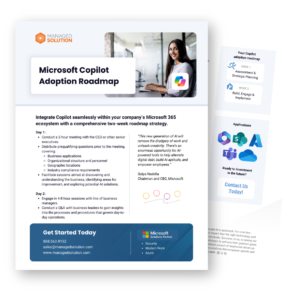
Our Copilot Adoption Roadmap helps organizations move from experimentation to scalable AI success through a guided two-week strategic planning and implementation framework. The roadmap visually outlines our AI service delivery, to help you capture the steps, processes, and timelines in one clear picture.
Whether your organization is exploring Microsoft Copilot for productivity, automation, collaboration, or operational efficiency, this roadmap helps establish the foundation needed for long-term AI success and measurable ROI.
Download the Microsoft Copilot Adoption Roadmap: If you’re ready to align powerful AI tools with your business objectives, improve adoption, reduce operational friction, and build a more measurable path toward AI ROI, download the roadmap today.