

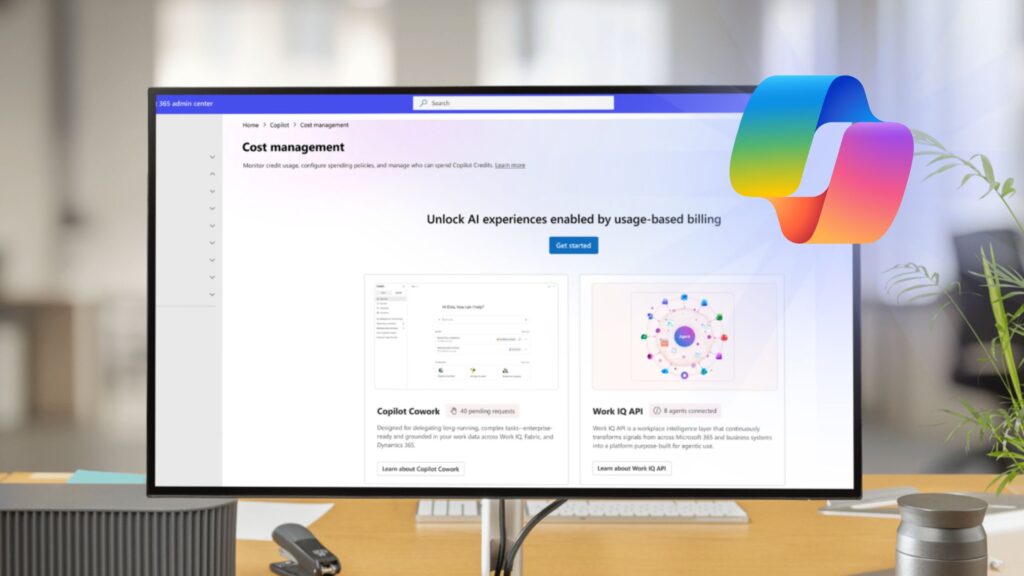
If you’re looking for a practical guide for the latest Microsoft AI billing updates (like Copilot Credits) and how to build an AI budget, you’re in the right place. From Copilot Credits, AI Builder changes, usage-based billing, Copilot Cowork, Work IQ, and tackle AI cost management to prepare your organization optimize your ROI.
As Microsoft continues expanding AI across Microsoft 365, Power Platform, and Copilot Studio, many organizations are discovering they now have a new budget category to manage: Copilot Credits.
For some organizations, Copilot Credits are already funding AI-powered workloads behind the scenes. For others, upcoming changes to AI Builder licensing could introduce entirely new operational costs over the next year.
Quick Takeaway: If your organization uses Power Apps Premium, Power Automate Premium, Copilot Studio, SharePoint agents, Microsoft 365 Copilot Chat, or Copilot Cowork, now is the time to understand where your AI capacity comes from today and what changes may affect your budget after November 1, 2026.
Unfortunately, most IT admins don’t start researching Copilot Credits because they want to.
They start because:
- They’re seeing unexpected consumption charges.
- They’re planning a Copilot Studio deployment.
- They’re evaluating Copilot Cowork.
- They’re trying to understand Microsoft’s AI Builder changes.
- They’re building a budget for AI initiatives in 2027.
This guide is designed to answer the practical questions IT leaders, Microsoft 365 administrators, and procurement teams are asking today.
Table of Contents
Executive Summary
If you only remember four things from this article, make it these:
✅ Copilot Credits are becoming Microsoft’s standard AI consumption currency.
✅ Many organizations are currently using seeded AI Builder credits that may disappear beginning November 1, 2026.
✅ There are three primary ways to fund AI consumption today: Capacity Packs, Pay-As-You-Go, and P3 annual commitments.
✅ The best purchasing decisions are almost always made after gathering real usage data rather than estimating future consumption.
What Are Copilot Credits?
Copilot Credits are Microsoft’s common currency for usage-based AI billing across eligible Microsoft AI services.
Rather than replacing traditional licensing, Copilot Credits complement it.
Think of it this way:
- Licenses provide access.
- Copilot Credits pay for the AI work being performed.
As AI workloads become more sophisticated, costs are increasingly based on actual AI consumption rather than simply the number of users assigned a license.
Today, Copilot Credits are used across:
- Copilot Studio
- Microsoft 365 Copilot Chat
- SharePoint agents
- Copilot Cowork
- Work IQ APIs
- Dynamics 365 agents
- Power Platform AI workloads
The more AI work being performed, the more credits may be consumed.
Where Do My Credits Come From Today?
Many organizations already have AI capacity without realizing it. Today, AI workloads are commonly funded from one or more of the following sources:
Source | Current List Price | Capacity Provided | Refresh Model |
Copilot Studio Capacity Pack | $200/month | 25,000 Copilot Credits | Monthly |
Pay-As-You-Go | $0.01 per credit | Usage based | No refresh |
Copilot Credit P3 | Varies by commitment | Annual credit pool | Annual |
Power Apps Premium | $20/user/month ($12 at 2,000+ seats) | 500 AI Builder credits/user/month | Monthly |
Power Automate Premium | $15/user/month | 5,000 AI Builder credits/user/month | Monthly |
A few important things to note:
Capacity Packs
A Capacity Pack is essentially prepaid AI consumption.
Each pack provides:
- 25,000 Copilot Credits
- Monthly replenishment
- Tenant-wide pooled capacity
Organizations with predictable AI usage often start here.
Pay-As-You-Go
Pay-As-You-Go provides the most flexibility.
Rather than purchasing credits upfront, organizations pay for actual consumption through an Azure subscription.
This approach is often ideal for:
- Pilots
- New AI initiatives
- Consumption discovery
- Variable workloads
Copilot Credit P3
The Pre-Purchase Plan (P3) is Microsoft’s annual commitment model.
Benefits include:
- Upfront annual credit allocation
- Discounted pricing tiers
- Predictable budgeting
The tradeoff is that credits expire at the end of the annual term and unused balances do not carry forward.
Seeded AI Builder Credits
This is where many organizations are surprised.
Power Apps Premium and Power Automate Premium currently include AI Builder credits that can support AI workloads today.
Many organizations have been consuming AI capacity through these entitlements without separately purchasing Copilot Credits.
That becomes especially important because Microsoft is changing that model.
The November 2026 AI Builder Transition
The single most important date discussed in Microsoft’s AI licensing guidance is:
November 1, 2026
On that date:
- Seeded AI Builder credits are removed from premium licenses.
- AI Builder capacity add-ons reach end of life.
- Existing AI Builder features continue to function.
- AI Builder credits do not automatically convert into Copilot Credits.
For organizations that rely on AI Builder today, this means understanding current consumption before the transition occurs.
For some organizations, there may be little impact whereas for others, workloads that are effectively funded through licensing today may require dedicated Copilot Credit capacity in the future.
What Should IT Admins Check Today? FAQ
Before planning future AI budgets, we recommend answering these questions.
Are we currently consuming seeded AI Builder credits?
Review:
- Power Apps Premium
- Power Automate Premium
- AI Builder usage
- Environment-level AI consumption
Do we already own Copilot Studio capacity?
Check:
- Microsoft 365 Admin Center
- Power Platform Admin Center
- Current subscriptions
Is Pay-As-You-Go enabled?
Determine:
- Whether Azure billing exists
- Whether spending limits are configured
- Whether alerts and notifications are enabled
Are we monitoring usage regularly?
Establish periodic reviews of:
- Credit consumption
- Agent adoption
- Environment usage
- Spending trends
How Credits Are Consumed
Copilot Credits are consumed whenever AI performs work.
Examples include:
Activity | Credits |
Classic Answer | 1 |
Generative Answer | 2 |
Agent Action | 5 |
Tenant Graph Grounding | 10 |
Content Processing | 8 per page |
Costs can stack together.
For example, a tenant-grounded generative response may consume:
- 10 credits for grounding
- 2 credits for generation
Total:
12 credits
Voice experiences, reasoning models, advanced orchestration, and autonomous agent activities can consume credits at higher rates.
An Important Microsoft 365 Copilot Exception
Microsoft documents that certain activities performed by licensed Microsoft 365 Copilot users in Microsoft 365 services may be included as part of their licensing.
Examples include:
- Classic answers
- Generative answers
- Graph grounding scenarios
when used through:
- Microsoft 365 Copilot Chat
- Teams
- SharePoint
This distinction can significantly affect budgeting decisions and agent architecture.
What Happens When You Run Out of Credits?
That depends on how your environment is configured.
Capacity Pack Only
Service can become unavailable until the next replenishment period.
Capacity Pack + Pay-As-You-Go
Usage automatically switches to consumption billing.
This is generally the safest option for business continuity.
Pay-As-You-Go Only
All consumption is billed directly through Azure.
No prepaid allocation is required.
Copilot Cowork, Work IQ, and the Next Generation of AI Consumption
One reason Copilot Credits are becoming increasingly important is Microsoft’s move toward agentic AI.
Copilot Cowork
Microsoft introduced Copilot Cowork as an agentic system capable of:
- Creating documents
- Performing research
- Scheduling meetings
- Managing files
- Taking actions on behalf of users
Unlike traditional user licensing, Cowork is fundamentally consumption based. The more work it performs, the more credits it can consume.
Work IQ
Work IQ serves as Microsoft’s workplace intelligence layer.
It enables AI systems to:
- Access organizational context
- Reason over business data
- Connect information across Microsoft 365
- Support advanced agent experiences
Organizations building advanced AI solutions should expect Work IQ usage to become part of future consumption planning.
Governance Matters
Model availability varies by region and cloud environment.
Organizations operating in regulated environments should pay particular attention to:
- AI provider controls
- Data residency requirements
- Government cloud limitations
- Anthropic model availability
Governance decisions will increasingly influence AI architecture and budgeting strategies.
Common Copilot Credit Misconceptions
“I have Microsoft 365 Copilot, so all AI usage is included.”
Not necessarily. Many agentic workloads continue to use consumption-based billing.
“All credits refresh monthly.”
Not always. Capacity Packs refresh monthly. P3 commitments are consumed throughout the annual term.
“AI Builder credits become Copilot Credits.”
No. Microsoft does not automatically convert AI Builder credits into Copilot Credits.
“If I run out of credits, everything stops.”
Not necessarily. Organizations using Pay-As-You-Go can continue consuming capacity automatically through Azure billing.
Which Purchase Model Is Right for You?
Just Getting Started? ➡ Use Pay-As-You-Go.
Predictable Monthly Usage? ➡ Consider Capacity Packs.
Large Enterprise with Predictable Annual Consumption? ➡ Evaluate P3.
Not Sure? ➡ Start with Pay-As-You-Go and gather 60-90 days of actual consumption data before making long-term commitments.
Our Recommendation
Most organizations should follow a straightforward path:
- Inventory existing AI workloads.
- Determine whether AI Builder credits are currently being consumed.
- Enable consumption monitoring.
- Start with Pay-As-You-Go when usage is unknown.
- Gather several months of real-world data.
- Move to Capacity Packs or P3 only after consumption patterns become predictable.
The organizations seeing the best results are not necessarily the ones spending the most. They’re the ones that understand where credits are being consumed, monitor usage consistently, and align AI spending with measurable business value.
Last Updated: August 2026
Pricing, licensing, product availability, and program details are subject to change by Microsoft. Always validate current pricing and licensing requirements before making purchasing decisions.
Need Help with Your AI Licensing?
Microsoft’s AI licensing and consumption models are evolving quickly, and understanding how Copilot Credits, AI Builder changes, and usage-based billing impact your budget can be challenging.
Whether you’re evaluating Copilot Studio, planning for the November 2026 transition, or simply trying to avoid unexpected AI costs, our team can help you assess your current licensing, identify potential gaps, and build a cost-effective AI strategy.
Explore our Microsoft Licensing services or chat with an expert today to get your questions answered directly.
References
Copilot Credits, Usage-Based Billing, and Cost Management
- Copilot Credits Licensing Guidance
- Understand Usage-Based Billing and Cost Management for Copilot Credits
- Microsoft 365 Copilot Pay-As-You-Go Overview
Copilot Studio Licensing, Capacity, and Consumption
- Microsoft Copilot Studio Pricing
- Azure Copilot Studio Pay-As-You-Go Pricing
- Copilot Studio Licensing
- Billing Rates and Management in Copilot Studio
- Manage Copilot Studio Credits and Capacity
Microsoft 365 Copilot Chat and SharePoint Agents
AI Builder Credits and the November 2026 Transition
Copilot Cowork
- Copilot Cowork is Now Generally Available
- What’s New in Microsoft 365 Copilot | June 2026
- What’s New in Copilot Cowork
Work IQ
Anthropic Models, Governance, and Regional Availability
Microsoft Cost Governance and Administration